Messy offers in.
Clean presentations out.
Upload the PDFs from an offer and get back a polished offer package with a cover letter on your letterhead. Upload every offer on a listing and get a color-coded comparison your seller can read at a glance.
No credit card. No tiers. Nothing to install.
The two tools
Build Package
For buyer's agents
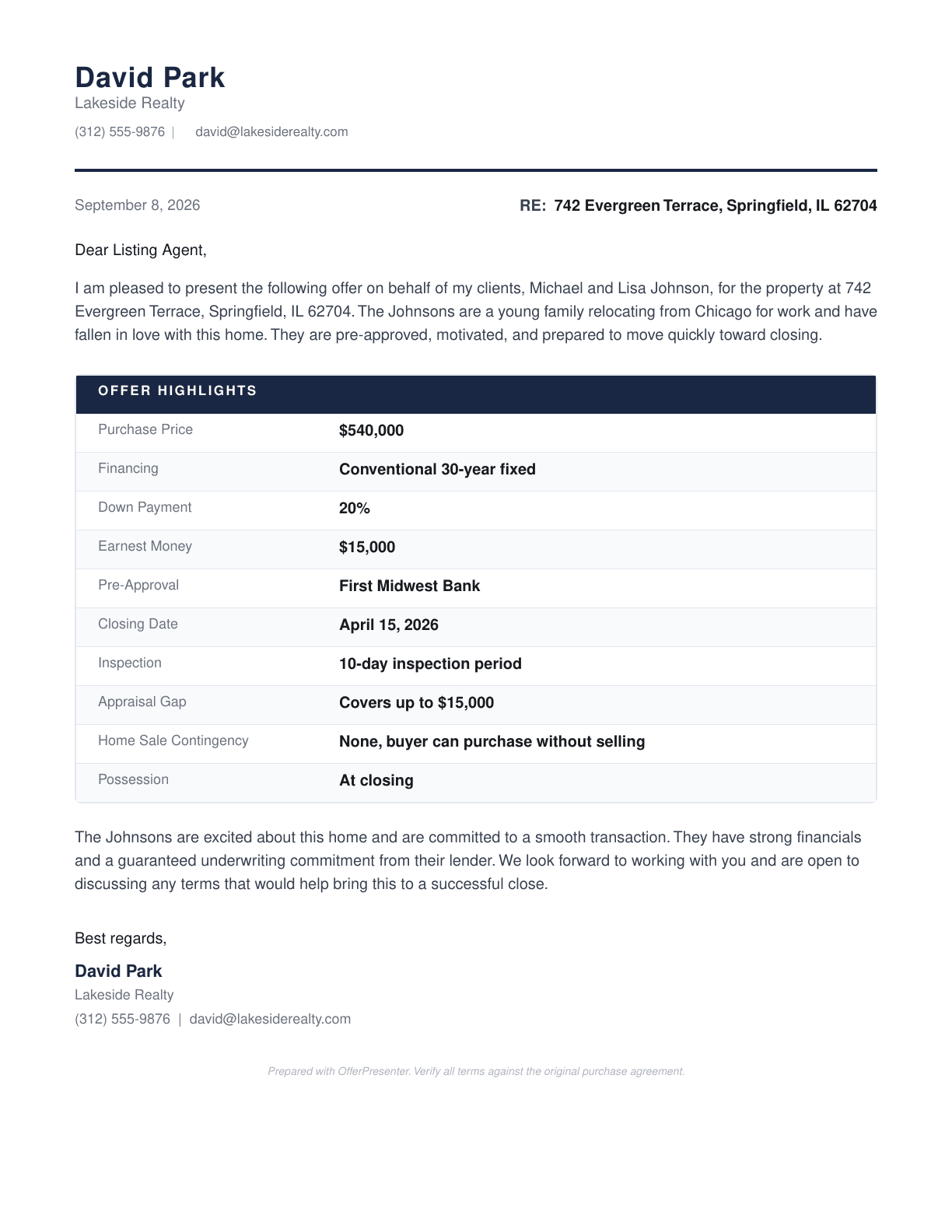
Drop in individual documents or a compiled package. Organize, reorder, and build.
- Combine individual PDFs or reorganize a compiled package
- Cover letter on your letterhead, written from the offer terms
- Email draft ready to send, with a share link for the listing agent
- Reorder, add, or remove pages before you send
Compare Offers
For listing agents
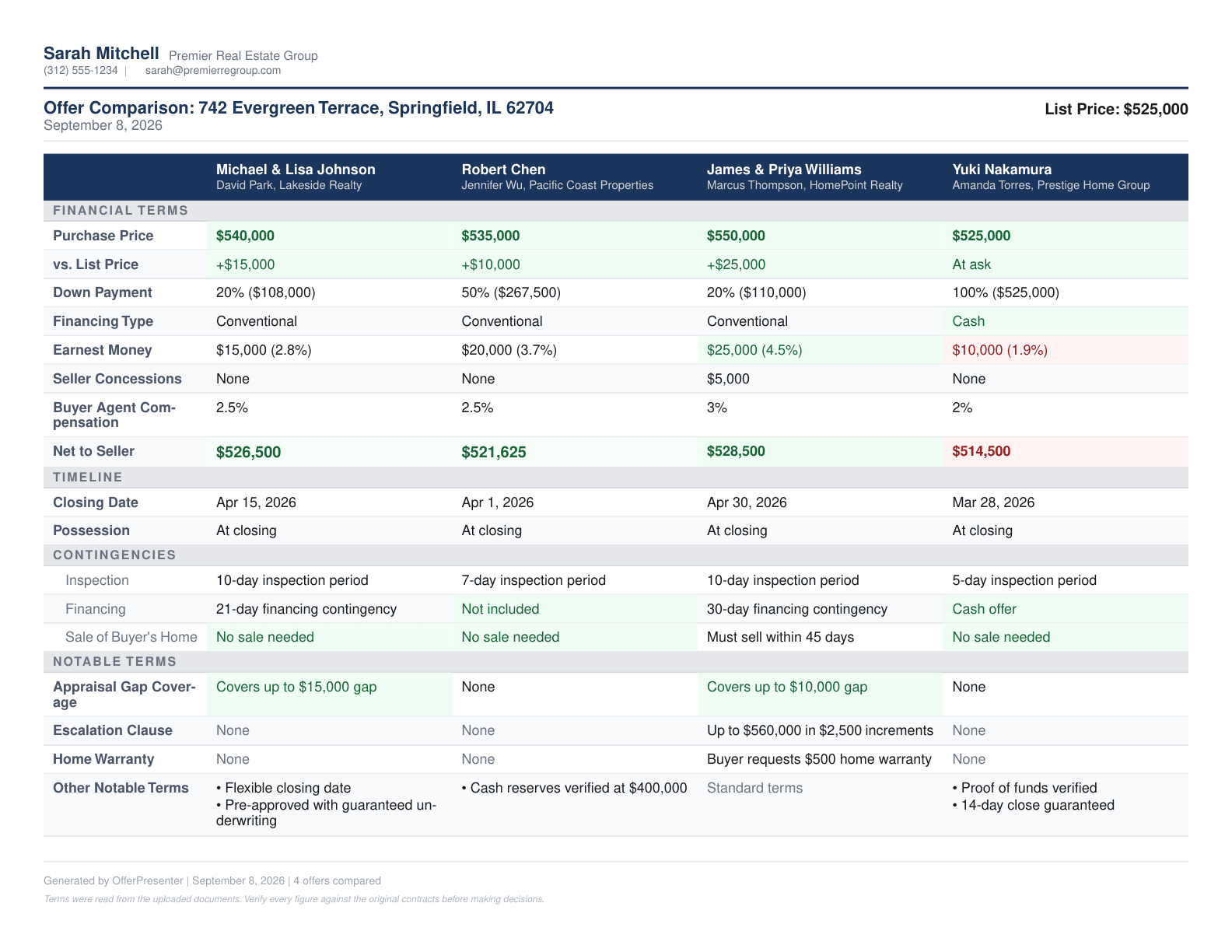
Drop in the purchase agreements. No spreadsheets, no retyping.
- Every term pulled from each purchase agreement
- Color-coded grid that flags the strongest and weakest terms
- Estimated net to seller for each offer
- Comparison report as a PDF you can send to your seller
How it works
Three steps. A few minutes.
Upload
Drop in the PDFs. Purchase agreements, pre-approvals, proof of funds, addendums, counteroffers, or a whole compiled package.
Review
The key terms are pulled from each document and shown to you for a quick check before the cover letter or comparison is built.
Download and share
Get a finished PDF. Send it with the drafted email and share link, or download it and attach it yourself.
See it in action
Watch it work, start to finish
Building an offer package
Comparing the offers on a listing
Who built this
Built by a working agent, for offer days.
OfferPresenter was built by Mark Gores, a Minnesota real estate agent, for his own offer days, and it is the tool he uses on his own deals. The packages and comparisons it produces are the ones that go out to listing agents and sellers on his transactions.
If something breaks, or an extracted term looks wrong, email support@offerpresenter.com. The person who built it reads it.
Pricing
Free to use.
There is no credit card to enter, no tiers to choose between, and no trial that runs out. Both tools, your letterhead, share links, and your history are all included. Sign up and use it on your next deal.
Get Started FreeFAQ
Common questions
What documents can I upload?
What file types are supported?
How does it read my documents?
Can I edit the cover letter before sending?
How does the letterhead work?
How many offers can I compare at once?
Is my data secure?
Can I get to past packages?
Can I use this from my phone?
What does it cost?
Your next offer package
is a few minutes away.
Upload the documents and see the finished package for yourself.
Get Started Free